Who a feature applies to — the selection rule (important)
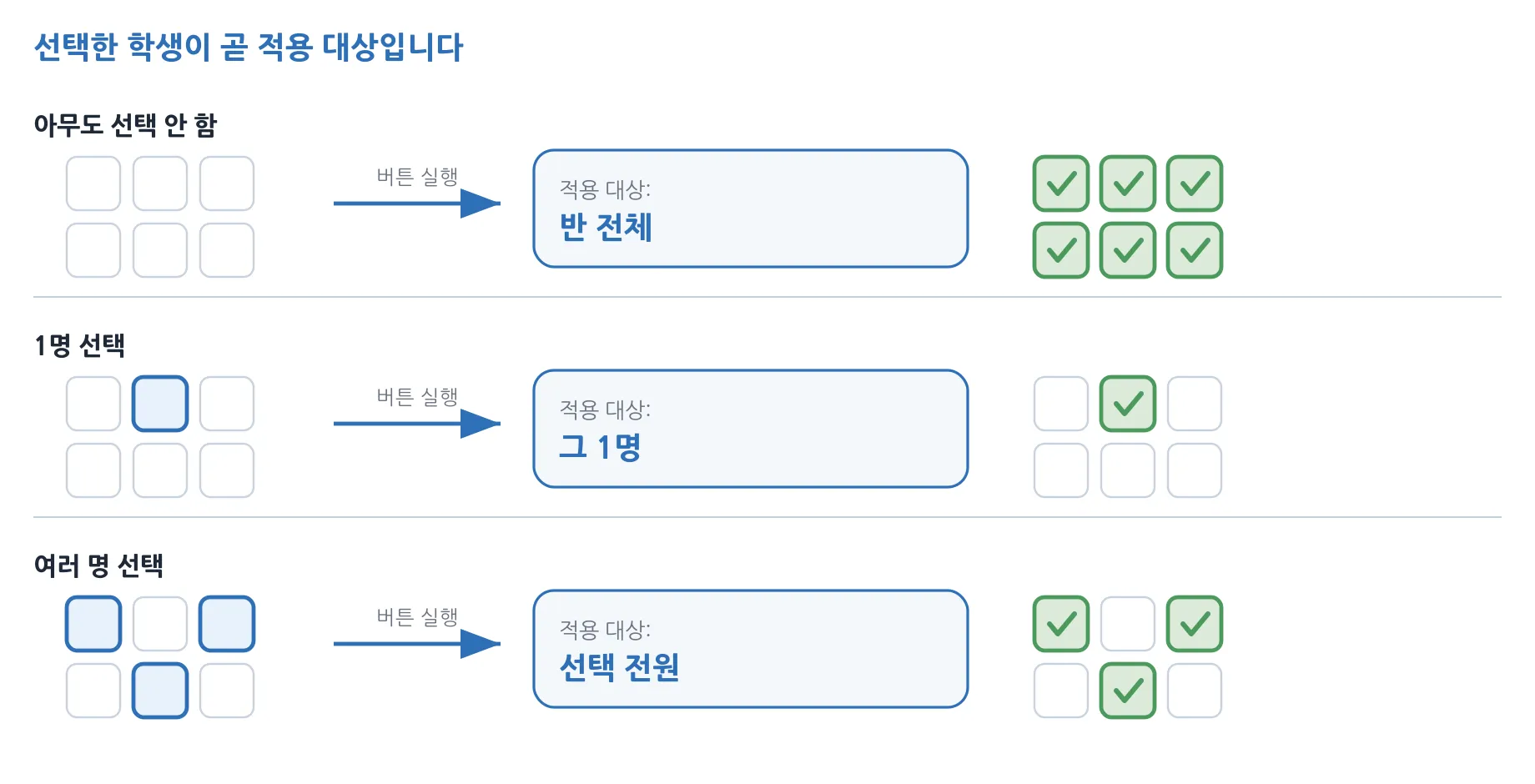
Almost every ClassNori feature applies to “the students selected right now”. The target follows from the selection automatically, so learning this one rule prevents most mistakes.
| Selection | What happens when you press a ribbon button |
|---|---|
| Nobody selected | Applies to every student in the tab you are viewing (the whole class on the All tab, that team on a team tab). |
| One student selected | Applies to that one student only. |
| Several selected | Applies to every selected student. |
The current target is always shown in the target chip at the left of the status strip — for example “Target: All 28 students”, “Target: Group 1 — 7 students”, “Target: 3 selected (Kim Minjun and 2 more)”. The selection is kept when you move between team tabs, so if it includes students picked in another team the chip turns orange and tells you, as in “Target: 3 selected (2 in other groups)”. Check it once before pressing a feature that is hard to undo, such as lock or shut down. Clear the selection with ESC or by clicking an empty area.
The right-click menu behaves a little differently.
- With nothing selected, right-clicking a card applies to that one machine (it is selected for you).
- With several already selected, right-clicking a card inside the selection applies to all of them; right-clicking a card outside it applies to that one machine only.