Starting the console and connecting students
2.1 Starting the teacher console
- Run the ClassNori teacher console on the teacher PC.
- The console window opens and is immediately ready to accept student PCs on the same network — there is no server to set up.
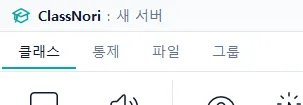
- You know it is working when the title bar reads “ClassNori : (class name)”.
2.2 Student PCs connect on their own
The teacher console announces itself on the network at regular intervals (a discovery beacon). The client on each student PC picks up that signal and connects to the console automatically, so you never have to type in student IP addresses.
2.3 Checking connection status
The connection badge at the top right of the window shows the current state. It reads (connected) / (registered) — so 1**/3** means one of three registered machines is online right now.

As students connect, cards appear one by one in the grid. If a student never appears, see chapter 11, “Troubleshooting”.