The Materials tab — assessment, files and presenting
The Materials tab holds the features for checking students’ understanding with quizzes and surveys, exchanging files, and viewing documents or videos together.
6.1 Quizzes
Sets a quiz for the selected students. Only one quiz session can run at a time.
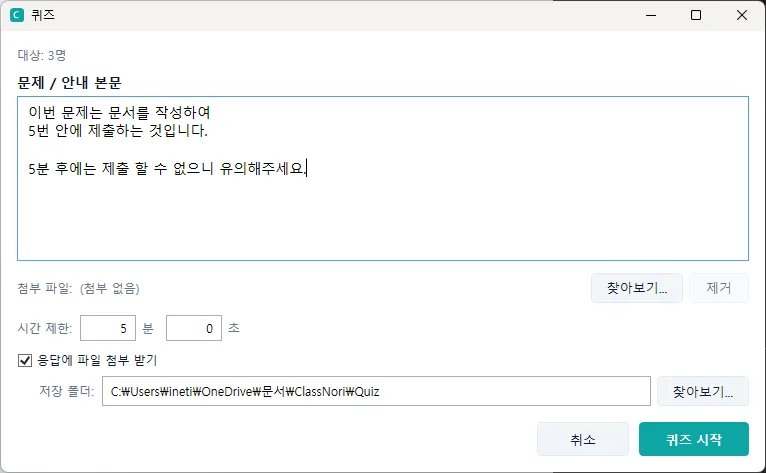
A quiz sends the question as text or as an attached file and asks for an answer within a set time. Students must reply before the time runs out; once it expires, they can no longer submit.
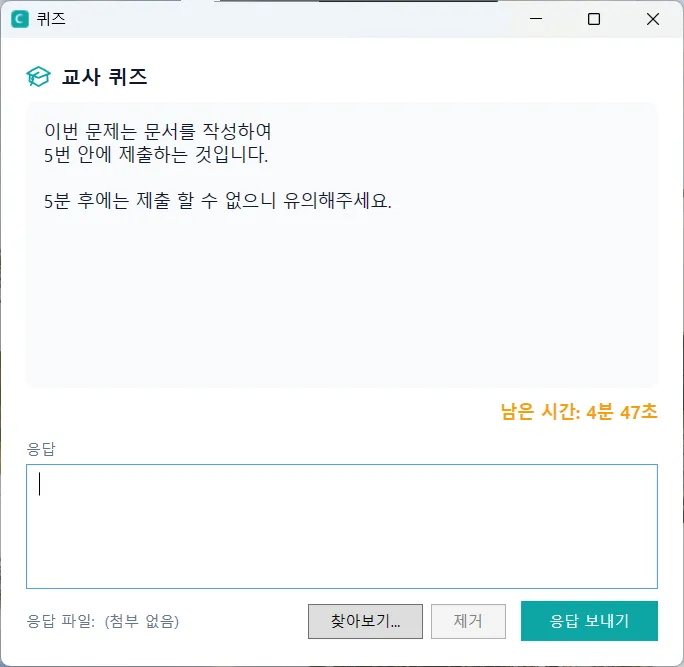
This is what students see.
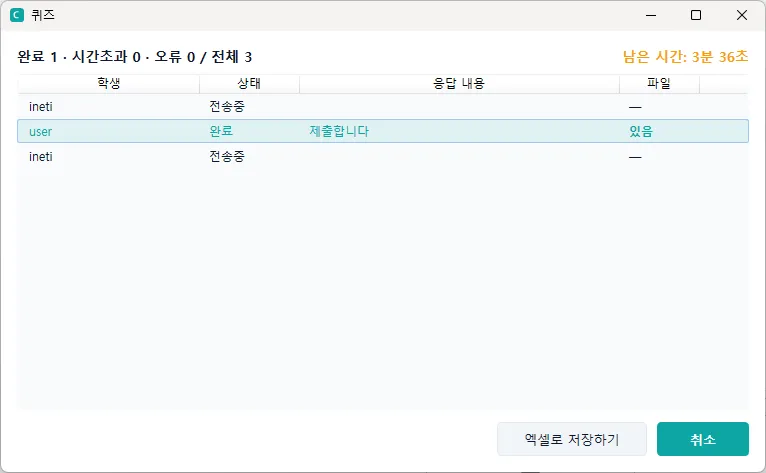
You can follow the submissions as they arrive, and any attached files are collected and saved to your PC automatically. The results can also be saved as an Excel file.

Workbooks — exchanging quiz and survey questions as files
The quiz and survey questions you have made can be exchanged with other teachers as a single workbook file (.cnb). What goes into it differs between quizzes and surveys.
| What the workbook contains | What you do on each PC | |
|---|---|---|
| Quiz | Questions only | Build quiz sets from the imported questions, then pick one to give. Quiz sets are not included in a workbook — each teacher chooses them to suit their own class. |
| Survey | Questionnaires — including the question order and branching (skipping to a later question or ending, depending on the answer) and the anonymity setting | Pick a received questionnaire and send it. Edit it in the Survey manager window if you need to. |
- Export workbook (Quiz Manager and Survey manager windows): in the Quiz Manager window you choose the questions to export, and in the Survey manager window the questionnaires (Select all is available). The questions in a questionnaire go in with it.
- Import workbook: adds the questions in a received workbook (and, for surveys, the questionnaires) to this PC. If an identical question already exists, it is not added again and the existing one is used. If a questionnaire of the same name exists, a new one is created with (2) after its name. The Quiz Manager window imports quizzes and the Survey manager window imports surveys (a notice appears if the workbook also contains the other kind). Older question files (.cnq, .cns) can be imported too.
- Building a quiz set quickly: on the Quiz Sets tab of the Quiz Manager, pick a Subject/Topic from the list above “All questions” and only those questions are shown. Add all shown puts them into the set in one go; then tidy up the order. It helps to fill in the subject/topic when you create questions (for example “Unit 1”).
- Workbook Designer (the Materials tab on the ribbon): a program that runs separately from the console, where you create quiz questions and surveys (questions and questionnaires) without any students connected and save them as a workbook file. The editing screens are the same as the Quiz Manager and Survey manager, and there is no Quiz Sets tab. Questions made in the Designer do not go straight into your question bank — bring the saved workbook in with Import workbook in the console and give it from there. Double-clicking a workbook file also opens the Designer. (It is installed along with the teacher installer on Windows and macOS.)
![The Materials tab — quizzes, surveys and the [Workbook Designer] button](/_astro/fig27.BqL43pn8_23PraL.webp)
![Workbook Designer — the question list is on the left; create a question on the right and press [Save question]. [Save] at the top creates the workbook file](/_astro/fig37.Bv-6g5JE_Z9fppp.webp)
6.2 Sending files (teacher → students)
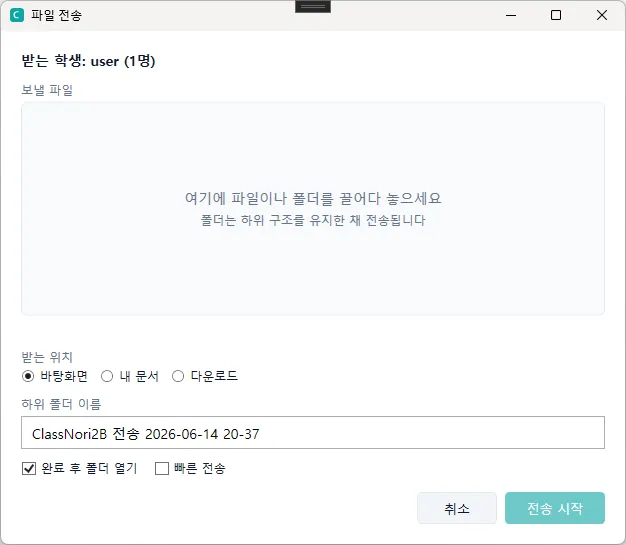
Sends files or folders to the selected students. A folder arrives on the student PC with its sub-folder structure intact.
- Drag and drop files and folders, or pick them from Explorer, and send.
- If a file of the same name already exists, the existing one is kept with the date and time appended to its name, and the new file is saved alongside it — nothing is overwritten.
- If a transfer is cancelled or the connection drops, the partly received file is deleted from the student PC automatically.
6.3 Collecting files (students → teacher)
Gathers files such as homework from your students.
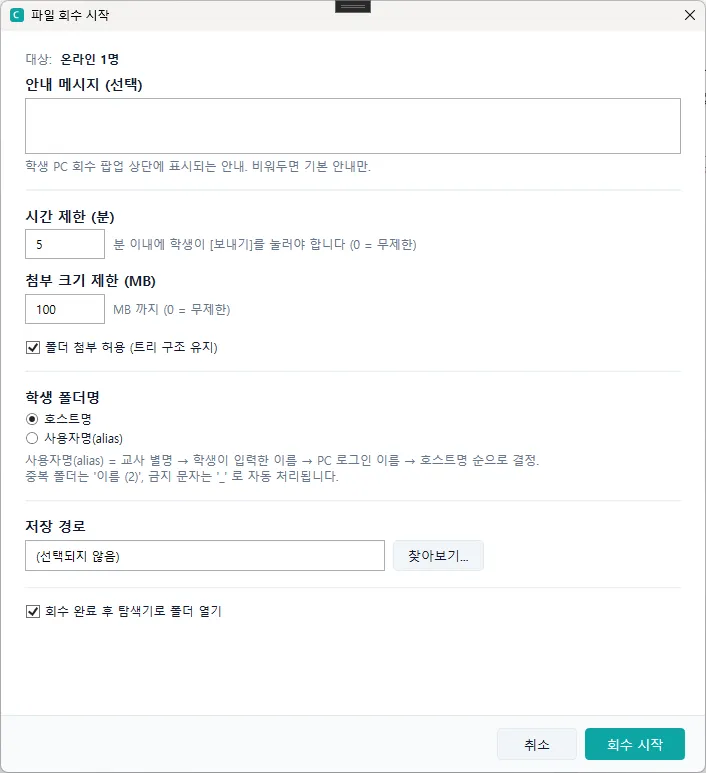
- Enter a name and description for the collection, choose the students, and start it.
- A “drop your file here” prompt appears on the student PCs, and each student attaches a file and presses Submit.
- Submitted files are filed on the teacher PC in a collection-name / student-name folder structure.
- The console shows each student’s status live (waiting, uploading, done, not submitted), and when it ends you can open the destination folder straight away.
6.4 Presenting (document slides)
Presents PDF, PPT, Word and Korean-word-processor (HWP/HWPX) material to the selected students as slides. The document is converted into page images and shown on the student screens.
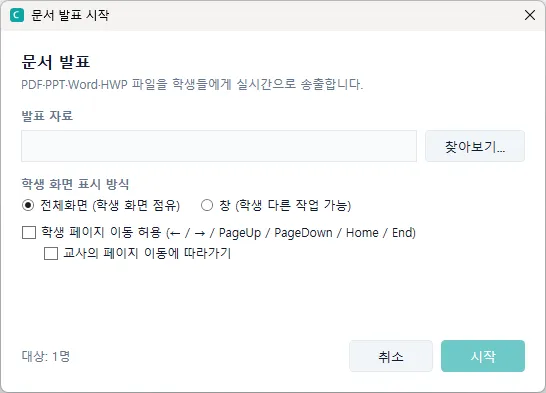
- If the students see it in a window rather than full screen, they can switch to other windows.
- If you allow page navigation, students may move ahead to other pages. With “follow along” also ticked, a student who has moved away is pulled back into step whenever you change page.